Apparently VA gets good deals on certain computers. This go around they are pushing Dells. Here’s the email from the VA’s IT guy:
Okay
Here is the computer and the extras. I can send them in as soon as I hear back:
Computer: Dell Inspiron 620 Intel Core i5 2320, 6 GB RAM, 1tb Hard Drive, 1GB AMD Radeon HD 6450 Graphics Card, 24 inch Monitor, Windows 7 Home Premium, Speakers, Keyboard and Mouse Combo, CD/DVD Burner, 19-1 Media Card Reader, Office Home and Business (Word, Excel, PowerPoint, Outlook, OneNote), 3 Year at Home Warranty, 3 Year McAfee Antivirus Protection, Dell V525 Wireless All in One Printer with Cable (print, copy, scan), 8 Outlet Surge Protector, 8 GB Flash Drive.
Requested additions:
Dragon Naturally Speaking Premium 11.5
Andrea Electronics ANC750U USB headset microphone
Adobe Acrobat Professional
Microsoft LifeCam Cinema 720p HD Webcam for Business
Vertical Wireless mouse
Adobe Photoshop Elements 10
M.Div., ATACP
Senior Certified Disability Analyst
Assistive Technology and Disability
I think vA is being fair here. It’s all free. I sure can’t complain on that score. We shall see if they quibble over the mouse and the web cam. That might be a reach but you never know if you don’t ask. I’m still dumbstruck that they granted it considering their track record on ILP. One small step for Vetkind.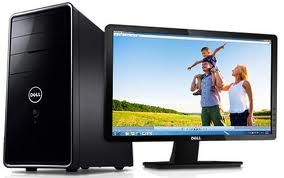


 asknod
 Bethanie Spangenberg
 kcraveiro
 robinhoodesqvetsatty
 Wesley McCauley
 Veterans Claims Help
Yipee! NOD Members are clearly experiencing some vicarious enjoyment with this cool setup.
Hope many others will be able to benefit from this program too.
I forget who it was, but years ago a N. Y. a radio broadcaster used to say,every day, “Your influence counts, use it!” This will help give a voice to vets.
Woo-Hoo ! WTG NOD !
I agree on the McAfee;
How is the desk this computer will sit on? Is it ergonomically correct? How about your chair? Is it comfortable enough, ergonomically fit for your body size so you don’t develop TB…? How about that keyboard? With all of the “time” you will be spending on the computer helping Veterans, you need to be comfortable. How is the lighting in the room?
Member Tom has Dragon – super ez to use once your voice profile is established.
Perserverance pays off….and, is inspiring.
Christmas early! Right on Dude….good news!
Dell won the contract for supplying the Federal Government. The laptops suck eggs though. They overheat at the drop of a hat. The Feds buying Dells is the socialistic thing to do…..have everything the same whether or not it is the best. Disabled Vets should get the support contracts, yet Dell is making us have a million dollar business BEFORE we can sell or support Dell computers. McAfee is another “socialist” idea. I used Norton ever since it came out until this last year when I became too broke to buy it and went with AVG which for freeware is quite awesome. I highly recommend getting Ghost from Norton so that you can make images of your disks. You can put the images on a small external HDD. I have a nice small one that is in a padded case that will fit in the palm of my hand and doesn’t take up much space in the laptop case.
I agree with dumping McAfee. Malwarebytes for one, doesn’t slow anything down, runs real time, and removes all bugs. Too bad not our HCV bug. 🙂 All the “Geek Squad” guys at work recommended it to me after using Norton and still getting infected. You need those “requested additions”. They are absolutely critical to your needs. And don’t think for a second about letting Jimbo off the hook for them!
congrats bro… get rid of the mcafee anti-virus because it slows down everything and it never removes shit. you are now a windows guy so I would ask for microsoft virtual machine software so you can hide behind a great firewall. I would also run a proxy or server just in case. you have a powerful system. 64bit is top of the line today. fast fast and fast. in home is the best for any help. i recall you said you are a mac machine guy. learning windows os is easy. you are now bi-os in computer speak. have fun…….